quilt
Platform MCP Server
The Quilt Platform MCP Server lets AI assistants interact with your organization’s data through natural language. Built on the open Model Context Protocol, it connects Claude, Cursor, and other MCP-compatible clients directly to your Quilt environment — so users can search, browse, read, create, and query data without leaving their AI workflow.
All actions respect your existing Quilt roles and permissions. Data never leaves your AWS environment.
Capabilities
Search
Ask your AI assistant to find packages or S3 objects by name, content,
metadata, or any combination. Searches use Elasticsearch query syntax
under the hood, so you can be as broad (“RNA-seq experiments”) or
specific (ext:.parquet AND key:results/*) as you like. Results are
paginated automatically — just ask for more if the first page isn’t
enough.
Packages
Your AI assistant can list packages in a bucket, browse a package’s file tree, inspect revision metadata and history, create new packages from S3 objects or inline content, and patch existing packages by adding, updating, or removing entries — all without leaving the conversation. Workflows and user metadata are supported on create and update.
When you try to create a package that already exists, the assistant will not
silently replace it: package_create refuses and points you to package_patch
for incremental changes, and requires overwrite=true to replace the package
outright. An overwrite reports an added / removed / kept entry diff against the
previous revision.
S3 Objects
List, read, inspect, download, and upload S3 objects. The assistant can
read text, images, and binary files directly from s3:// or
quilt+s3:// URIs, retrieve object metadata (size, content type, last
modified), generate presigned download URLs you can open in a browser,
and upload new content to S3.
Athena
Run SQL queries against your data lake through Amazon Athena and get results back in the conversation. This works with both standard Athena tables and Quilt Tabulator tables — the assistant automatically has access to available databases and catalogs.
Tabulator
List, create, rename, and manage Tabulator table definitions that control how package data is projected into queryable Athena tables.
Utilities
The assistant can list your accessible buckets, generate shareable Quilt catalog links for any resource, and read platform configuration such as search syntax help and Athena setup details.
Resources
The Platform MCP Server also exposes read-only resources that give AI assistants additional context about your environment:
| Resource | Description | | — | — | | Search Syntax | Elasticsearch query string syntax reference for search | | Athena | Available databases, catalogs, and query configuration | | Buckets | Accessible buckets with names, titles, and descriptions | | Current User | Identity and role of the authenticated user |
Getting Started
Supported Clients
The Platform MCP Server works with any MCP-compatible AI client, including:
- Claude.ai (web)
- Claude Code (CLI)
- Cursor (desktop)
- ChatGPT (web)
- Databricks (web)
- Benchling AI (web)
- OpenAI Codex (desktop/IDE)
- Any client supporting the Model Context Protocol
Connecting Claude.ai
An Organization administrator adds Quilt as a connector:
- Go to Organization Settings -> Connectors
- Click Add Custom Connector
- Enter your Connect Server URL:
https://<connect-host>/mcp/platform/mcp
Connecting Cursor and other desktop clients
Add the following to your MCP client configuration (in Cursor: Settings -> MCP -> Add new global MCP server):
{
  "mcpServers": {
    "quilt": {
      "url": "https://<connect-host>/mcp/platform/mcp"
    }
  }
}
Your administrator must include the client’s custom scheme (e.g.
cursor://) inConnectAllowedHostsfor the OAuth flow to complete.
Connecting ChatGPT
Requires Quilt 1.70 or later.
In ChatGPT, go to Settings -> Apps -> Create app (Developer mode required). Set:
- MCP Server URL:
https://<connect-host>/mcp/platform/mcp - Authentication:
OAuth - OIDC enabled: on, with OIDC scopes supported:
platform
Leave the OAuth endpoint fields on their auto-discovered values.
chatgpt.com must be in ConnectAllowedHosts (see
Connect.md).
Connecting Databricks
Requires Quilt 1.70 or later.
In the Databricks Catalog HTTP connection UI, fill in:
| Field | Value |
|---|---|
| Connection type | HTTP |
| Is MCP connection | true |
| Host | https://<connect-host> |
| Base path | /mcp/platform/mcp |
Databricks discovers the OAuth endpoints from
/.well-known/oauth-authorization-server and uses
https://<region>.cloud.databricks.com/api/2.0/http/oauth/redirect as its
redirect URI (the workspace region determines the exact host).
.cloud.databricks.com must be in ConnectAllowedHosts so DCR accepts
that redirect URI (see
Connect.md). Quilt Connect
already emits the :443-explicit metadata Databricks requires — see
Connect.md OAuth Metadata for why.
Serverless egress caveat. Databricks Apps and serving endpoints run on a serverless network plane that blocks outbound traffic by default. Two distinct outbound legs need egress, and a Databricks account admin must allow both in the serverless network policy attached to the workspace:
<connect-host>— the tool-calling leg. Without it, tool listing fails withAccess to <connect-host> is denied because of serverless network policy(the host named in this error).<catalog-host>— the OAuth authorize-redirect leg. The authorize endpoint is cross-served:<connect-host>/connect/authorizereturns a 302 to the catalog UI on<catalog-host>, which the client follows during sign-in. This leg does not surface the error above, so allowing only<connect-host>is not enough.This is not a per-connection or per-app setting; the connection creator cannot fix it.
Confirm the block from a Databricks SQL warehouse:
SELECT * FROM system.access.outbound_network
WHERE event_time >= CURRENT_TIMESTAMP() - INTERVAL 2 HOUR
ORDER BY event_time DESC;
See the Databricks docs: serverless network policies overview and managing serverless network policies.
Connecting Benchling AI
Benchling AI’s AI Connectors let Chat and Deep Research query external MCP servers — including the Quilt Platform MCP Server — so scientists can reach Quilt data without leaving Benchling. Either Chat or Deep Research must be enabled on your tenant; Deep Research is not required.
Before configuring Benchling, enable Quilt Connect Server by adding
.benchling.com to the ConnectAllowedHosts CloudFormation parameter and
deploying the stack. Preserve any existing entries in the comma-separated
list. For example:
.benchling.com,chatgpt.com,claude.ai
The leading dot is required: it allows OAuth callbacks from every Benchling tenant subdomain. See ConnectAllowedHosts entry formats for the complete syntax.
A Benchling tenant admin installs Quilt from the AI Connector Directory:
- Go to Tenant admin console -> Settings -> AI Connectors
- Click Browse directory
- Search for
Quiltand select the Quilt by Quilt connector - On the connector details page, click Install
-
Enter the Stack name and Domain for the Quilt deployment. Benchling uses them to construct this server URL:
https://<stack-name>-connect.<domain>/mcp/platform/mcpFor example, given the Quilt catalog URL
https://open.quiltdata.com:- Stack name:
open - Domain:
quiltdata.com - AI Connector URL preview:
https://open-connect.quiltdata.com/mcp/platform/mcp
Use the stack name from the catalog hostname, not a display name such as
Quilt Open. Enter only the parent domain in Domain, not the full catalog hostname (open.quiltdata.com). - Stack name:
- Confirm that the AI Connector URL preview matches the Quilt
ConnectHostCloudFormation output followed by/mcp/platform/mcp - Click Install to install the configured connector
- Complete the Quilt OAuth flow to authenticate the connector
- Review the tools exposed by the server and select which ones users may access (at least one must be enabled)
- Click Save
Each Benchling user then enables the connector once:
- In the navigation bar, click AI, then the Settings icon
- Open the AI Connectors tab and click Connect next to Quilt
- In the pop-up window, click Connect
- Complete the Quilt OAuth flow in the new tab or window (see User Authorization below)
- Return to Benchling and select the Quilt tools to enable
- Click Save
To verify the connection, open Benchling Chat and ask it to search or list
content in Quilt. Benchling automatically decides when to call the enabled
Quilt tools. If Quilt is unavailable, confirm that at least one tool is
enabled, the user completed authorization, and .benchling.com remains in
ConnectAllowedHosts.
Connecting OpenAI Codex
Requires Quilt 1.70 or later.
In the Codex desktop app or IDE extension, open Settings -> MCP servers -> + Add server, choose Streamable HTTP, and enter the URL:
https://<connect-host>/mcp/platform/mcp
Leave Bearer token env var, Headers, and Headers from environment variables blank to use OAuth, then Save and Authenticate.
You can also configure it via the codex mcp add CLI or by editing
~/.codex/config.toml directly; see
Codex MCP configuration.
Codex starts the OAuth flow on first connect and opens a browser to the Quilt authorization page.
User Authorization
Each user must authorize their MCP connection once:
Web clients (e.g. Claude.ai):
- Log in to your Quilt stack as usual (e.g. via Okta SSO)
- Go to Customize -> Connectors
- Click Connect
Desktop clients (e.g. Cursor): the OAuth flow starts automatically the first time the client connects to the MCP server.
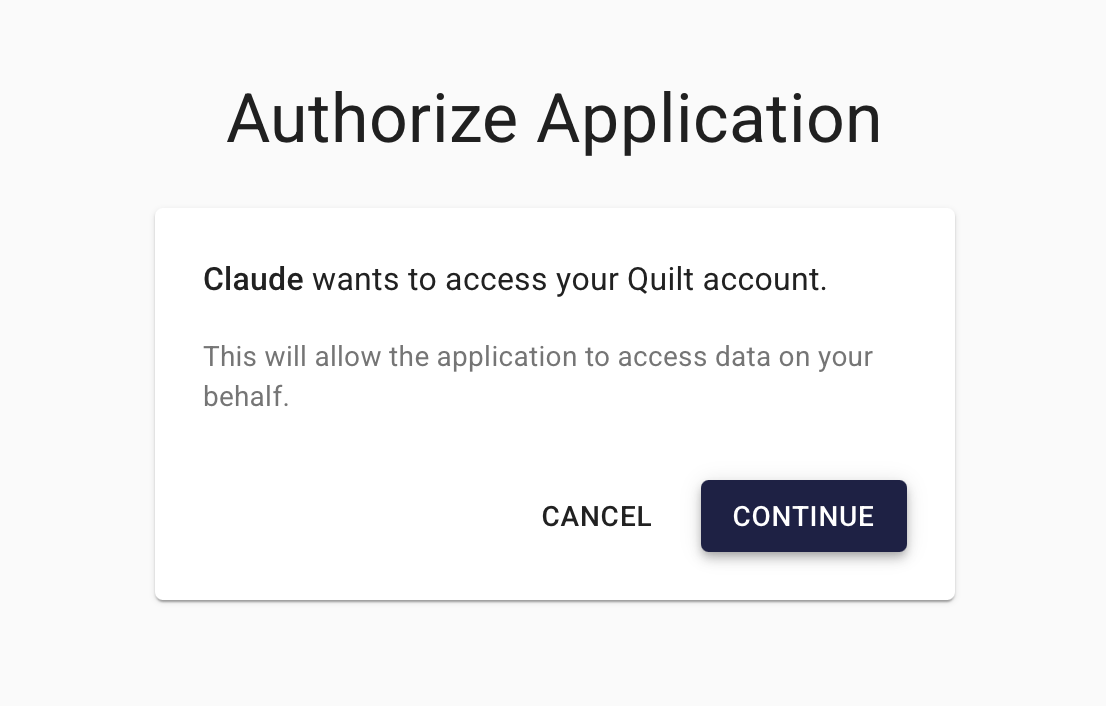
In both cases, you will see the Quilt authorization page at
/connect/authorize, showing the name of the AI client and what it is
requesting access to. Click Continue to grant access or Cancel to
deny it.
After authorizing, the AI assistant receives a session token scoped to your Quilt user — it cannot access data beyond what your assigned Quilt role permits. You do not need to re-authorize the same client unless your session expires or the Quilt stack is redeployed.
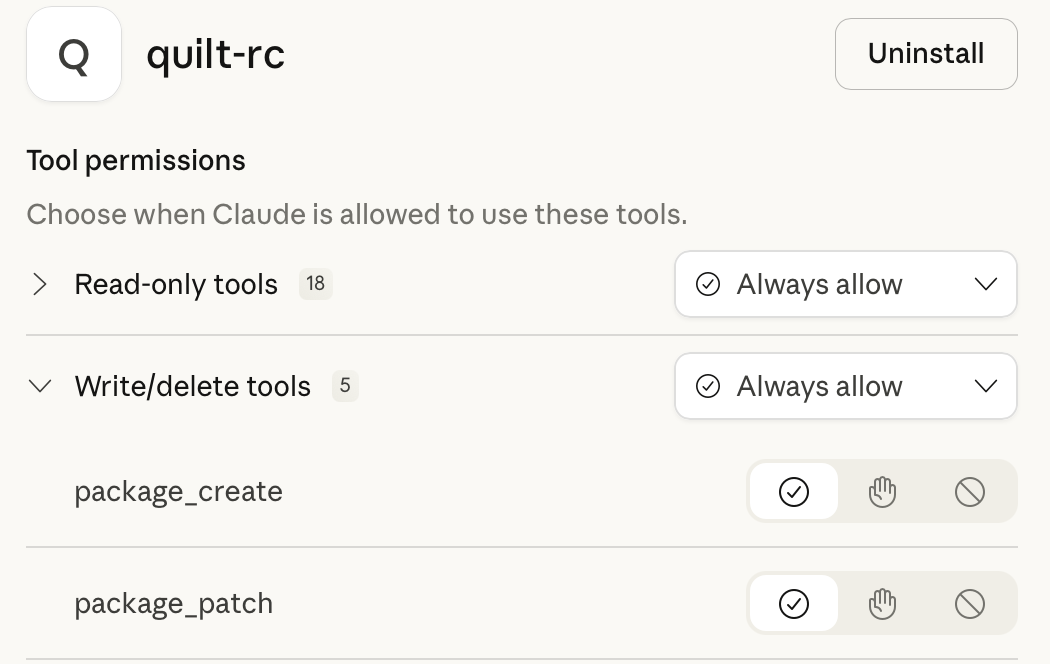
Once authenticated, you may also need to authorize individual tools when used. You can pre-authorize them by clicking Configure on the connector page.
Headless Access with API Keys
For automation, AWS-side services, and other non-interactive clients that cannot complete an OAuth flow, the MCP server also accepts a Quilt API key as a bearer token:
POST https://<connect-host>/mcp/platform/mcp
Authorization: Bearer qk_...
For stdio-mode MCP clients, set the key in the environment instead:
export QUILT_API_KEY=qk_...
The MCP request executes under the API key owner’s role and bucket
permissions, exactly as an OAuth-issued session would. Generate, list,
and revoke keys via quilt3.api_keys (see the Authentication
guide).
Administrator Reference
The Platform MCP Server runs behind Quilt Connect Server, which handles OAuth authentication, session tokens, and request routing within your AWS environment. See the Quilt Connect page for CloudFormation parameters, DNS configuration, and IP allowlisting.