quilt
Why metadata matters
Data without labels and documentation quickly become meaningless. In Quilt, metadata are represented as dictionaries that can refer to specific objects or entire packages.
Metadata solves the following problems:
-
Collaboration — Metadata are the clues that enable developers, non-developers, and code to create a shared understanding and vocabulary
-
Discoverability — Quilt package-level metadata are searchable via Elasticsearch; package-level and object-level metadata are queryable via AWS Athena
-
Trust — Quilt metadata are screened against JSON schemas that you define to ensure that annotations are complete and type-safe. (See Workflows)
-
Understandability - Metadata are a love letter to the future; with metadata in hand, users can better understand what data mean, where they came from, and how they might be used in the future
-
Longitudinal analysis — Need to cut across packages and isolate data sets based on varying dimensions? Metadata makes this possible.
Metadata in Quilt
Quilt packages contain one of two types of metadata:
- Object-level metadata for each object or entry in the package
- Package-level metadata for each revision of the package
The Goldilocks problem
If you require your users to input too much metadata, they’ll avoid your system. Too little metadata and it’s hard to understand or trust your collection. Our rule of thumbs are:
Minimize human-entered metadata to less than a dozen fields
Maximize machine-entered data to capture any facts or dimensions that might be useful in the future: date, author, etc. (by default, Quilt automatically captures metadata like file size and SHA-256 hash)
Entering metadata
When you create or revise a package in Quilt, you can edit the package-level metadata.
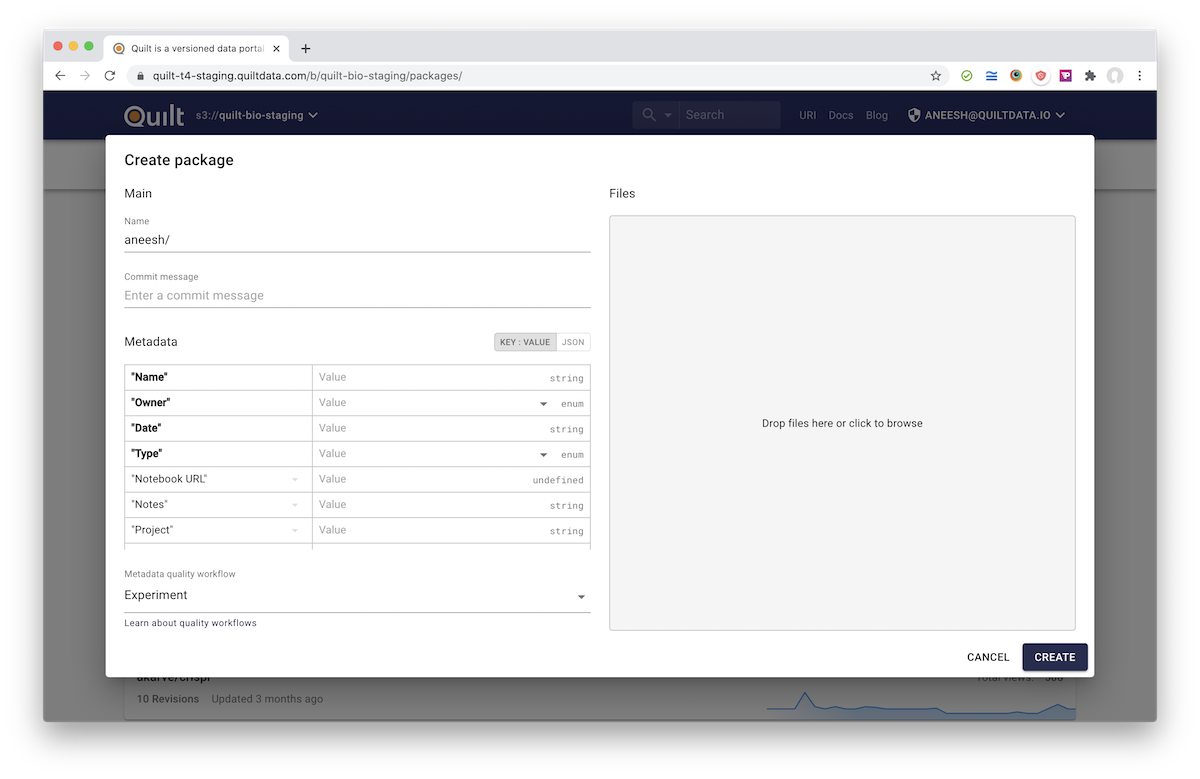
Metadata can be entered by hand, or you can drag and drop one of the following file types on the Metadata section:
- CSV
- XLS
- XLSX
- XLSM
- ODS
- FODS
The keys of your dataset may be represented as either column headers, or as the values of a single column. Quilt picks the orientation that best overlaps with the workflow schema, be that orientation row-major or column-major.
Spreadsheet example
Suppose your spreadsheet looks like this:
| Metal | Color | Price |
|---|---|---|
| gold | yellow | 1700 |
| silver | gray | 25 |
| rhodium | gray | 25000 |
When you drag and drop the spreadsheet, Quilt converts it:
{
  "Metal": ["gold", "silver", "rhodium"],
  "Color": ["yellow", "gray", "gray"],
  "Price": [1700, 25, 25000]
}
Note: empty cells have a value of
null
Supported types
Metadata may contain strings, numbers, objects, booleans, and dates. Dates are converted to the YYYY-MM-DD format.
If your workflow Schema has { type: "array" } for a cell,
Quilt converts this string to an array by splitting the cell on comma.
If your input file contains JSON fragments, such as "{"a": 1, "b", 2}",
Quilt will convert those strings to objects.
Limitations
Quilt recommends, and the APIs will soon enforce, that users limit each instance of package-level and object-level metadata to 1MB or less so that your package works well with AWS Athena (32MB row limit), which is used by the Quilt backend.