quilt
Each Quilt stack includes an Elasticsearch cluster that indexes objects and packages as documents. The cluster is deployed in the AWS OpenSearch service. You can connect to your Elasticsearch domain to query documents.
Each Amazon S3 bucket connected to Quilt implies two Elasticsearch index aliases:
YOUR_BUCKET_NAME: Contains one document per object in the bucket.YOUR_BUCKET_NAME_packages: Contains one document per package revision in the bucket.
Configuring Saved Queries
You can provide pre-canned Elasticsearch queries for your users by providing a
configuration file at s3://YOUR_BUCKET/.quilt/queries/config.yaml:
version: "1"
queries:
  query-1:
    name: My first query
    description: Optional description
    url: s3://BUCKET/.quilt/queries/query-1.json
  query-2:
    name: Second query
    url: s3://BUCKET/.quilt/queries/query-2.json
The Quilt catalog displays your saved queries in a drop-down for your users to select, edit, and execute.
Managing Elasticsearch
Quilt uses Amazon Elasticsearch 7.10
(docs),
which also supports cost-effective Graviton (ARM) clusters. New
CloudFormation and Terraform deployments default to Graviton2
(m6g.xlarge / m6g.large) instances. Customers with Reserved
Instances should contact Quilt support before switching instance types
to avoid double-paying.
- If your Quilt stack uses private endpoints for Elasticsearch you will need to connect to the cluster from a machine in the same VPC as the cluster.
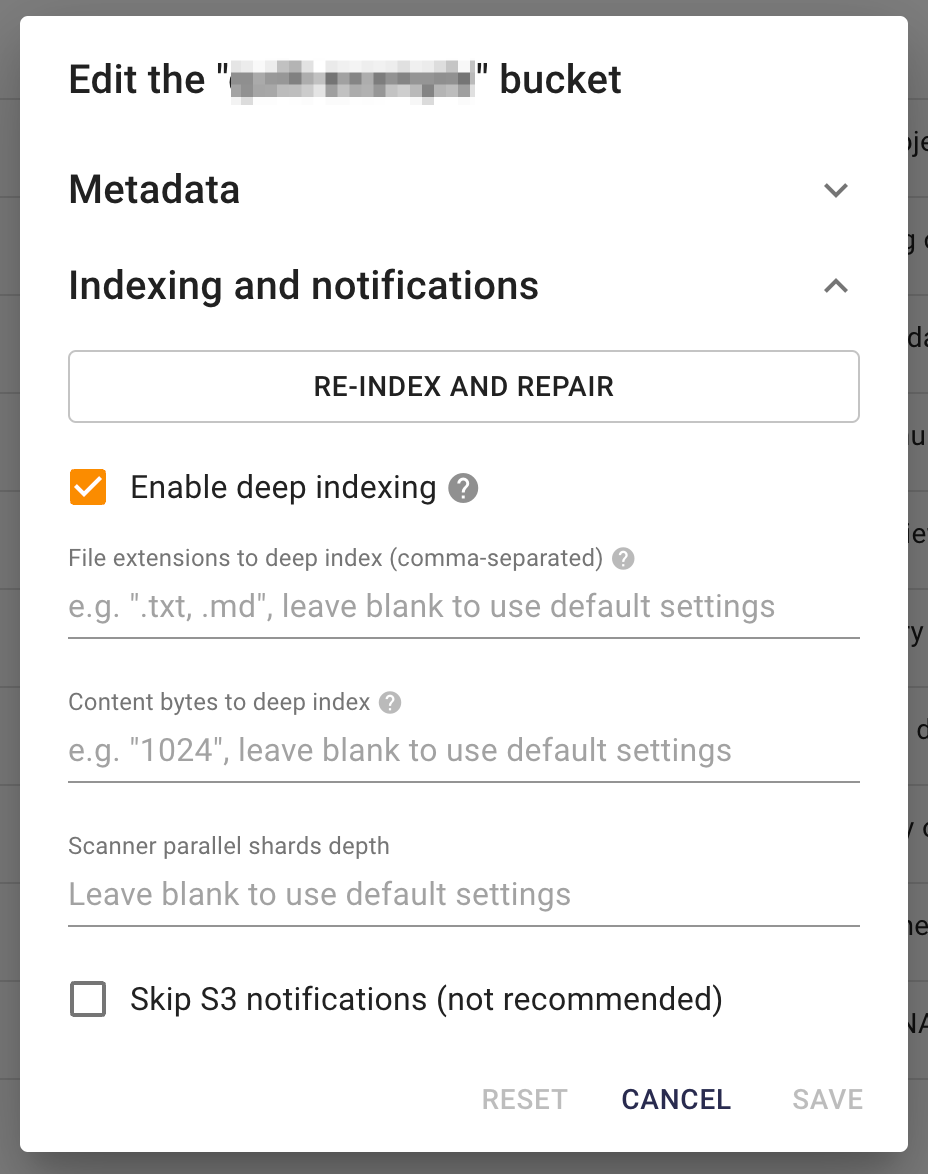
- By default, Quilt indexes a limited number of bytes per document for specified file formats (100KB). Both the max number of bytes per document and which file formats to deep index can be customized per Bucket in the Catalog Admin settings.
Querying Elasticsearch with Python
You can use elasticsearch as
follows:
from aws_requests_auth.boto_utils import BotoAWSRequestsAuth
from elasticsearch import Elasticsearch, RequestsHttpConnection

es_host = "check.aws.console.for.your.host.us-east-1.es.amazonaws.com"

auth = BotoAWSRequestsAuth(
    aws_host=es_host,
    aws_region='us-east-1',
    aws_service='es'
)

elastic = Elasticsearch(
    hosts=[
        {"host": f"{es_host}", "port": 443}
    ],
    http_auth=auth,
    use_ssl=True,
    verify_certs=True,
    connection_class=RequestsHttpConnection,
    timeout=27
)

query = rbody = {
    "query": {
        # query body here
    }
}

elastic.search(
    index="*_packages", # search all package indexes in this stack
    body=rbody,
    _source=['*'], # return all document fields
    size=1000,
)
Monitoring your Elasticsearch cluster
It’s helpful to periodically review the Quilt Elasticsearch cluster health to ensure performance is optimal and cost-effective.
To review your Elasticsearch cluster:
- In CloudFormation, select your Quilt stack.
- In the “Resources” tab, type
AWS::Elasticsearch::Domain. There will be one result (Logical IDvalue ofSearch). - Click the link in the
Physical IDcolumn to access the Quilt Elasticsearch cluster in the AWS OpenSearch service. - Select the “Cluster health” tab.
- Review the “Summary” section (look for Green Status):
- If your cluster Status is Red or Yellow, notify your Quilt account manager.
- In the “Overall health” section, update the “Time range” to
2wand review all graphs, paying particular attention to:- Total free storage space: if one or more nodes in your cluster has storage space less than the minimum value of either 20% of available storage space or 20GB of storage space, basic operations (adding documents; creating indexes) can start to fail. Notify your Quilt account manager.
- Searchable documents: if the total number of searchable documents remains static or reduces but you are adding documents to Quilt, notify your Quilt account manager.
- In the “Key performance indicators” section, update the “Time
range” to
2wand review all graphs, paying particular attention to:- HTTP requests by response code: Excessive 4xx or 5xx HTTP response codes can indicate problems with your cluster configuration.
Data from the Quilt Elasticsearch cluster is published to Amazon Cloudwatch and retained for two weeks before being discarded. The charts listed above are created from raw data in Cloudwatch. Depending on your needs, you may wish to view cluster data in CloudWatch directly.
References
Auto-Tune and CloudFormation
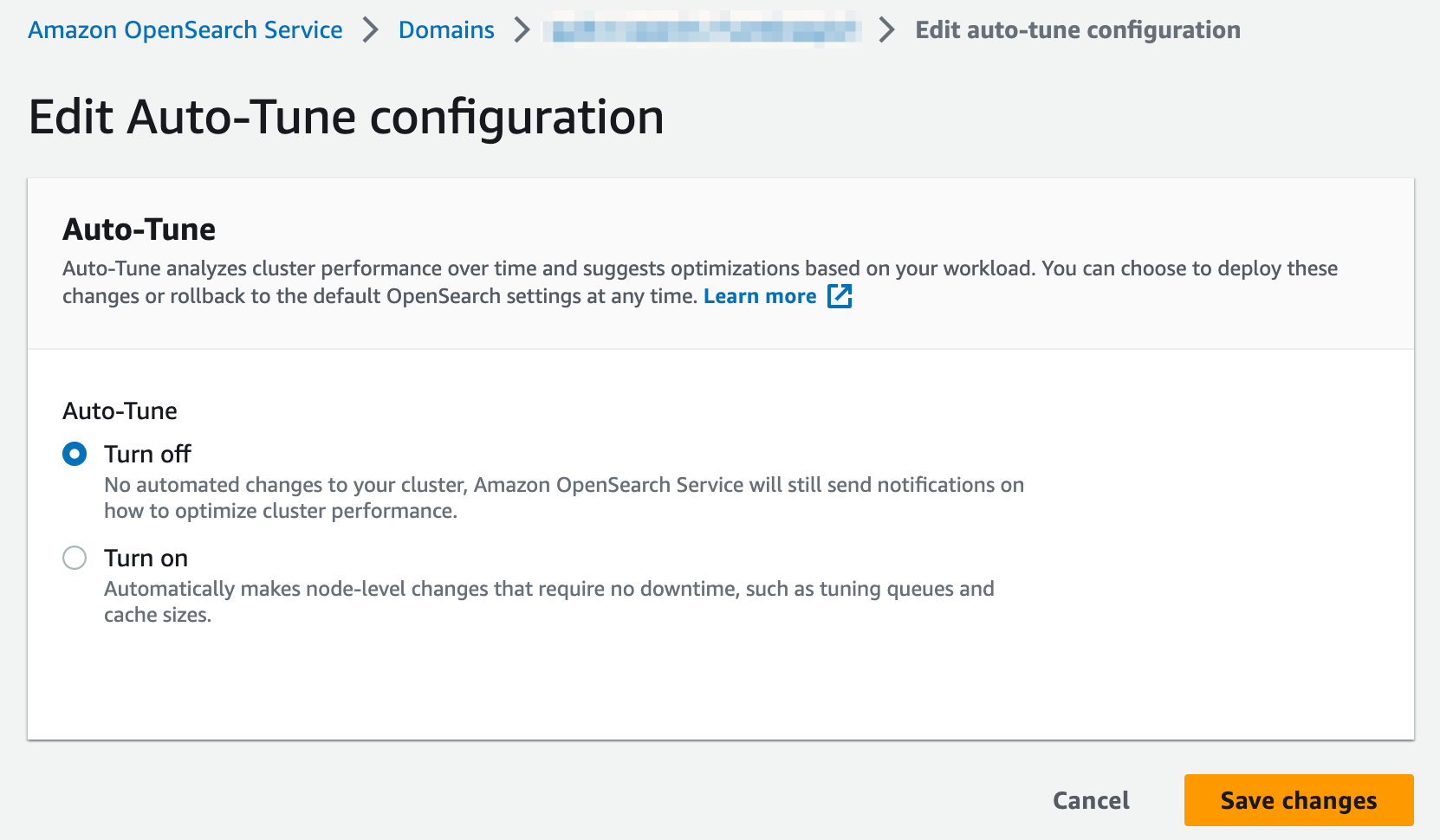
Auto-Tune is a feature of the Amazon OpenSearch service that analyzes cluster performance over time and suggests optimizations based on workload. There is known bug in CloudFormation when deploying and/or upgrading Quilt stacks using t2 or t3 instance types. During stack deployments the following error may be encountered:
Autotune is not supported in t2/t3 instance types.
Disable autotune or change your instance type.
(Service: AWSElasticsearch; Status Code: 400; Error Code: ValidationException;
Request ID: XXXXXXXX-XXXX-XXXX-XXXX-XXXXXXXXXXXX; Proxy: null)
This is due to CloudFormation turning Auto-Tune on by default. There is currently no way to modify Auto-Tune configurations using CloudFormation. Your Quilt administrator will need to take the following actions and re-run the Quilt CloudFormation deployment:
- Access the Quilt OpenSearch cluster (see steps 1 - 3 above).
- Select the “Auto-Tune” tab.
- Review the “Status” value. If the value is Turned on, click the “Edit” button.
- Select the option to “Turn off” Auto-Tune and click the “Save changes” button: